I log everything I eat. Calories, protein, fibre, carbs, sugar, the lot, because my glucose monitor shows me what each thing does and I want the numbers to line up with the curve.
The slow bit was never the logging. It was the new foods. Every new packet meant squinting at the label and typing seven numbers into a form, picking a serving size, and getting one of them wrong anyway. I have about a hundred saved foods, and when I went back through them last week I found a Flake with the per-100g numbers saved as one bar. A Flake is 32 grams. Every Flake I’d logged had counted as three. There was a roll of wine gums where I’d typed the kilojoules in as calories. Seven hundred calories for a roll of wine gums, and I never questioned it.
So I built a scanner.
What it does
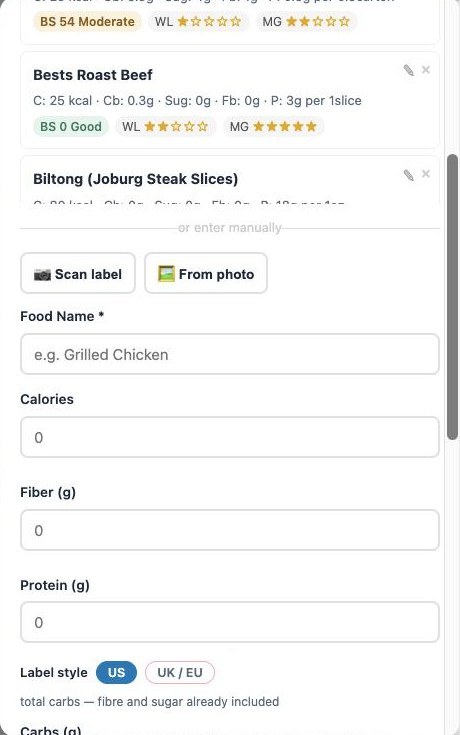
Open the add-food form, tap Scan label, point the phone at the packet. A few seconds later the fields are filled in: name, serving size, calories, protein, fibre, carbs, sugar, fat. I check them, then press Add Entry or Save to My Foods.
It never saves on its own. A misread serving size would throw every meal off, so the last look is always mine.
On the Mac there’s a From photo button, and a Use camera button that lets Firefox borrow my iPhone as the camera. Apple calls that Continuity Camera. The phone sits on the desk, I hold the packet up to it, and the picture lands in the form on the big screen.
How it works
The photo gets shrunk in the browser first, so a big phone picture goes over the wire as a few hundred kilobytes. It lands on a small function in my AWS account, which hands it to Claude, Anthropic’s AI model, with a strict list of exactly what to send back and in what shape. No free text, no guessing. If a number isn’t on the label it comes back empty. If the photo isn’t a label at all, it says so.
The reason I went with an AI model rather than old-fashioned text recognition is layouts. A US Nutrition Facts panel, a UK table with per-100g and per-serving columns, a two-column label with per container, a label photographed at an angle in bad light. Writing rules for every one of those would have been a hobby in itself. The model reads them all.
The conversions I kept in my own code, because I want them exact every time. UK labels print carbohydrate without the fibre, and my tracker stores it the US way with the fibre in, so the fibre gets added back. A label that only gives kilojoules gets turned into calories. And “1 cup (144g)” becomes 144 grams, which is what I actually want to scale from.
The photo isn’t stored anywhere. It’s read, the numbers come back, and it’s gone.
What it costs
A fraction of a cent per label. I’d budgeted for pennies a month and that’s about right. The one surprise was that my Claude subscription doesn’t cover it. An app calling the API is billed separately, so I had to put a few dollars of credit on an API account. At this rate it will outlast the phone.
The first test
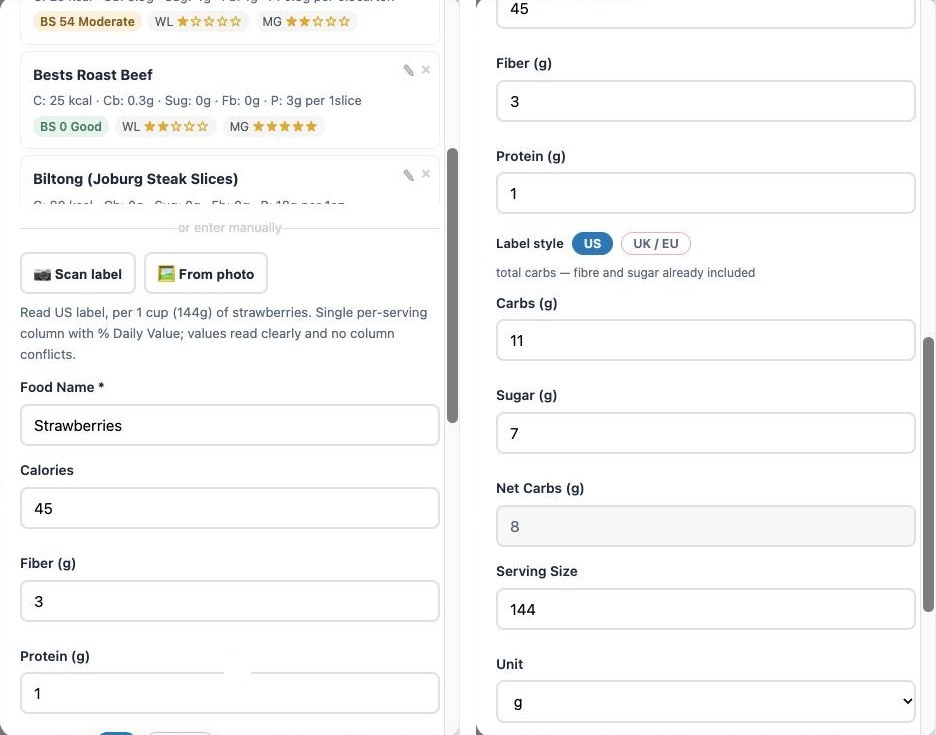
I ran a strawberries label through it before anything else. One cup, 144 grams, 45 calories, 11g carbs, 3g fibre, 7g sugar, 1g protein. Every number exactly as printed. It even noted that the sugar figure was total sugars with none added, which is the right one to use.
What’s next
I’m living with it for a while before I tune it. Serving sizes are the thing most likely to need work. “2 pieces (30g)” has to land in the right unit in my dropdown, and there are a lot of ways to print a serving. After that, a barcode scanner is the obvious next step for packaged food, looking the product up in a public database before the camera even gets involved.
I built it in an evening. Nobody enjoys copying seven numbers off the back of a yogurt pot. Now I don’t have to.